




The rise of no-code and low-code platforms has democratized software development, enabling creators without extensive programming knowledge to build sophisticated applications. Yet even the most intuitive drag-and-drop interface needs rigorous UI testing before launch. This is where MacBook mockup templates become invaluable assets for designers and developers working within these accessible ecosystems.
Why Visual Testing Matters in No-Code Development
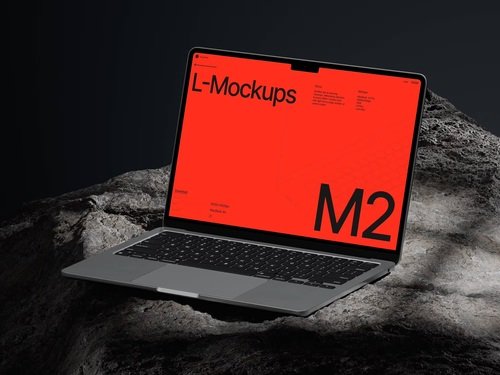
No-code platforms like Webflow, Bubble, and Adalo allow users to construct applications through visual interfaces rather than writing code. However, this simplification doesn’t eliminate the need for thorough design validation. A MacBook mockup provides the perfect canvas to preview how these applications will appear on actual hardware, revealing layout issues, responsive design flaws, and visual inconsistencies that might not be apparent within the builder interface itself.
Streamlining the Feedback Loop
When presenting prototypes to stakeholders, context matters tremendously. Displaying your no-code application within a realistic device frame transforms a simple screenshot into a professional presentation asset. Mockups help clients visualize the final product in real-world scenarios, making feedback sessions more productive and reducing miscommunication about design intentions.
Integration Benefits for Common Platforms
Modern no-code tools excel at rapid iteration, but each change requires validation across different screen sizes and contexts. MacBook mockups complement this workflow by offering:
- Immediate visual context that shows how interfaces adapt to laptop screens
- Professional presentation materials generated without additional design software
- Consistent branding assets across documentation and marketing materials
- A/B testing visualizations that compare different design approaches side-by-side
Real Examples of MacBook Mockups in Action
A startup building a customer portal using Retool recently used MacBook mockups to demonstrate their dashboard designs during investor presentations. By placing their interface within realistic device frames, they conveyed professionalism and attention to detail that helped secure funding.
Another agency developing Airtable interfaces for clients incorporated mockups into their proposal documents. The visual representation helped non-technical clients understand exactly what they would receive, reducing revision requests by nearly 40%.
Educational platforms creating courses about no-code development frequently use these templates in tutorial screenshots, helping students understand how their projects will appear when deployed.
Premium MacBook Mockups on ls.graphics
For teams serious about presentation quality, the ls.graphics website offers exceptional mockup resources specifically designed for professional workflows. Their MacBook mockup collection stands out through several key features:
- Ultra-realistic rendering captures every detail of Apple’s hardware design, from the subtle screen glow to accurate shadow casting and reflections that mirror actual photography
- Organized layer structure makes customization remarkably straightforward, allowing even users unfamiliar with advanced design tools to swap in their screenshots within minutes
- Multiple viewing angles accommodate different presentation needs, whether you require a straight-on perspective for documentation or dynamic angles for marketing materials
Additional benefits include:
- Color style variations that ensure your mockups align with brand guidelines and seasonal campaigns without requiring separate files
- Minimalistic compositions that keep focus on your interface rather than distracting background elements, making your designs the true hero of every presentation
This combination of visual fidelity and practical usability makes these resources ideal for rapid testing cycles common in no-code development.
Accelerating Iteration Cycles
No-code platforms thrive on experimentation. Developers can test new features or redesign entire sections within hours rather than weeks. Pairing this agility with quick mockup generation creates a powerful testing methodology where design concepts move from idea to validated prototype in remarkably short timeframes.
Conclusion
The democratization of development through no-code platforms hasn’t eliminated the designer’s fundamental challenge—communicating vision effectively. MacBook mockups serve as the crucial translator between raw interface screenshots and stakeholder understanding, turning abstract concepts into tangible experiences. When speed meets presentation quality, teams gain something invaluable: the confidence to iterate boldly while maintaining professional credibility. Your no-code application might build itself in hours, but how you showcase that work determines whether it succeeds in minutes.